vue实现图标加文字
Vue 实现图标加文字的几种方法
在 Vue 中实现图标加文字的常见方式有多种,可以根据项目需求和使用的图标库选择合适的方法。
使用 Element UI 或 Ant Design Vue 等 UI 框架
这些框架提供了内置的图标组件,可以直接与文字结合使用。

<template>
  <div>
    <!-- Element UI 示例 -->
    <el-button>
      <el-icon><edit /></el-icon>
      编辑
    </el-button>

    <!-- Ant Design Vue 示例 -->
    <a-button>
      <template #icon><edit-outlined /></template>
      编辑
    </a-button>
  </div>
</template>

<script>
import { Edit } from '@element-plus/icons-vue'
import { EditOutlined } from '@ant-design/icons-vue'
</script>
使用 Font Awesome 图标库
Font Awesome 提供了 Vue 组件,可以方便地与文字结合。
<template>
  <div>
    <font-awesome-icon icon="fa-solid fa-user" />
    用户
  </div>
</template>

<script>
import { FontAwesomeIcon } from '@fortawesome/vue-fontawesome'
import { faUser } from '@fortawesome/free-solid-svg-icons'

export default {
  components: {
    FontAwesomeIcon
  },
  data() {
    return {
      faUser
    }
  }
}
</script>
使用 SVG 图标
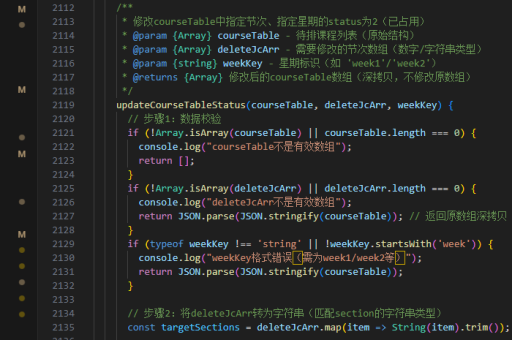
对于自定义 SVG 图标,可以将其封装为组件与文字一起使用。
<template>
  <div class="icon-text">
    <svg-icon />
    <span>文字说明</span>
  </div>
</template>

<style>
.icon-text {
  display: inline-flex;
  align-items: center;
  gap: 8px;
}
</style>
使用 CSS 类控制布局
无论使用哪种图标实现方式,都可以通过 CSS 控制图标和文字的布局。
<template>
  <div class="icon-text-container">
    <i class="icon-class"></i>
    <span>文字内容</span>
  </div>
</template>

<style>
.icon-text-container {
  display: flex;
  align-items: center;
  gap: 10px;
}
</style>
封装为可复用组件
为了提高复用性,可以封装一个通用的图标加文字组件。
<template>
  <div class="icon-text">
    <component :is="iconComponent" v-if="iconComponent" />
    <slot></slot>
  </div>
</template>

<script>
export default {
  props: {
    iconComponent: {
      type: [String, Object],
      default: null
    }
  }
}
</script>
这些方法可以根据具体项目需求进行选择和组合,实现灵活多样的图标加文字效果。