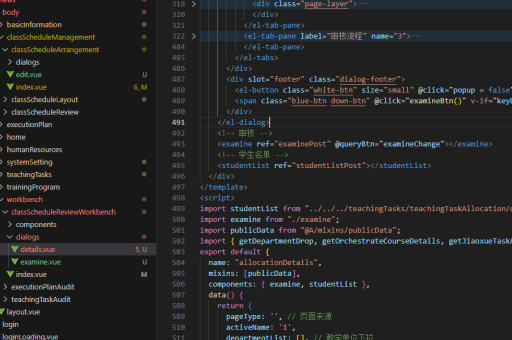
vue按钮实现页面切换
vue按钮实现页面切换的方法
在Vue中实现按钮点击切换页面,通常涉及路由跳转或组件动态切换。以下是几种常见实现方式:
使用vue-router进行路由跳转
安装并配置vue-router后,可以通过<router-link>或编程式导航实现页面切换:
// 路由配置示例(router/index.js)
const routes = [
  { path: '/home', component: Home },
  { path: '/about', component: About }
]
模板中使用按钮触发跳转:

<template>
  <button @click="goToAbout">跳转到关于页</button>
</template>

<script>
export default {
  methods: {
    goToAbout() {
      this.$router.push('/about')
    }
  }
}
</script>
动态组件切换
不需要路由时,可通过<component :is="">动态渲染不同组件:
<template>
  <button @click="currentComponent = 'Home'">首页</button>
  <button @click="currentComponent = 'About'">关于</button>

  <component :is="currentComponent" />
</template>

<script>
import Home from './Home.vue'
import About from './About.vue'

export default {
  components: { Home, About },
  data() {
    return {
      currentComponent: 'Home'
    }
  }
}
</script>
条件渲染实现切换
简单场景下可用v-if/v-show控制显示:

<template>
  <button @click="showPage = 'home'">首页</button>
  <button @click="showPage = 'about'">关于</button>

  <Home v-if="showPage === 'home'" />
  <About v-if="showPage === 'about'" />
</template>
过渡动画增强体验
添加Vue过渡效果使切换更平滑:
<transition name="fade" mode="out-in">
  <component :is="currentComponent" />
</transition>

<style>
.fade-enter-active, .fade-leave-active {
  transition: opacity 0.3s;
}
.fade-enter, .fade-leave-to {
  opacity: 0;
}
</style>
带参数的页面跳转
需要传递参数时:
// 编程式导航传参
this.$router.push({
  path: '/user',
  query: { id: 123 }
})

// 或使用params
this.$router.push({
  name: 'User',
  params: { id: 123 }
})
根据项目复杂度选择合适方案,SPA应用推荐使用vue-router管理路由,简单交互可采用动态组件或条件渲染。