
vue实现表格修改
Vue 实现表格修改的方法
使用 v-model 绑定数据
在 Vue 中可以通过 v-model 实现双向数据绑定,适用于表格单元格的编辑。
为表格的每个单元格绑定 v-model,动态修改数据。
<template>
  <table>
    <tr v-for="(row, index) in tableData" :key="index">
      <td>
        <input v-model="row.name" @blur="saveData" />
      </td>
      <td>
        <input v-model="row.age" @blur="saveData" />
      </td>
    </tr>
  </table>
</template>

<script>
export default {
  data() {
    return {
      tableData: [
        { name: "Alice", age: 25 },
        { name: "Bob", age: 30 },
      ],
    };
  },
  methods: {
    saveData() {
      console.log("Data saved:", this.tableData);
    },
  },
};
</script>
使用动态组件切换显示和编辑状态
可以通过 v-if 或 v-show 切换单元格的显示和编辑模式。
<template>
  <table>
    <tr v-for="(row, index) in tableData" :key="index">
      <td @click="editCell(index, 'name')">
        <span v-if="!row.editing">{{ row.name }}</span>
        <input v-else v-model="row.name" @blur="saveData(index)" />
      </td>
      <td @click="editCell(index, 'age')">
        <span v-if="!row.editing">{{ row.age }}</span>
        <input v-else v-model="row.age" @blur="saveData(index)" />
      </td>
    </tr>
  </table>
</template>

<script>
export default {
  data() {
    return {
      tableData: [
        { name: "Alice", age: 25, editing: false },
        { name: "Bob", age: 30, editing: false },
      ],
    };
  },
  methods: {
    editCell(index, field) {
      this.tableData[index].editing = true;
    },
    saveData(index) {
      this.tableData[index].editing = false;
      console.log("Updated data:", this.tableData);
    },
  },
};
</script>
使用第三方表格组件(如 Element UI)
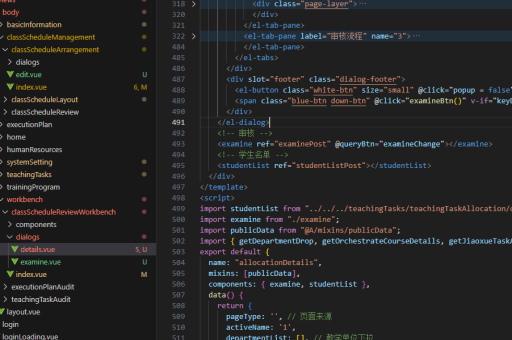
Element UI 的 el-table 组件支持行内编辑,可通过 slot 自定义编辑单元格。
<template>
  <el-table :data="tableData">
    <el-table-column prop="name" label="Name">
      <template #default="{ row }">
        <el-input v-if="row.editing" v-model="row.name" @blur="saveData(row)" />
        <span v-else>{{ row.name }}</span>
      </template>
    </el-table-column>
    <el-table-column prop="age" label="Age">
      <template #default="{ row }">
        <el-input v-if="row.editing" v-model="row.age" @blur="saveData(row)" />
        <span v-else>{{ row.age }}</span>
      </template>
    </el-table-column>
    <el-table-column label="Action">
      <template #default="{ row }">
        <el-button @click="toggleEdit(row)">
          {{ row.editing ? "Save" : "Edit" }}
        </el-button>
      </template>
    </el-table-column>
  </el-table>
</template>

<script>
export default {
  data() {
    return {
      tableData: [
        { name: "Alice", age: 25, editing: false },
        { name: "Bob", age: 30, editing: false },
      ],
    };
  },
  methods: {
    toggleEdit(row) {
      row.editing = !row.editing;
      if (!row.editing) {
        console.log("Data saved:", this.tableData);
      }
    },
  },
};
</script>
使用 Vuex 管理表格数据
如果项目使用 Vuex,可以通过 mutations 修改表格数据,实现全局状态管理。
// store.js
export default new Vuex.Store({
  state: {
    tableData: [
      { name: "Alice", age: 25 },
      { name: "Bob", age: 30 },
    ],
  },
  mutations: {
    updateTableData(state, payload) {
      state.tableData[payload.index][payload.field] = payload.value;
    },
  },
});
<template>
<table>
<tr v-for="(row, index) in $store.state.tableData" :key="index">
<td>
<input
v-model="row.name"
@input="$store.commit('updateTableData', { index, field: 'name', value: $event.target.value })"
/>
</td>
</tr>
</table>
</template>使用计算属性优化编辑逻辑
通过计算属性动态生成可编辑的数据副本,避免直接修改原始数据。
<template>
  <table>
    <tr v-for="(row, index) in editableData" :key="index">
      <td>
        <input v-model="row.name" @blur="saveData(index)" />
      </td>
    </tr>
  </table>
</template>

<script>
export default {
  data() {
    return {
      tableData: [
        { name: "Alice", age: 25 },
        { name: "Bob", age: 30 },
      ],
    };
  },
  computed: {
    editableData() {
      return this.tableData.map(item => ({ ...item }));
    },
  },
  methods: {
    saveData(index) {
      this.tableData[index] = { ...this.editableData[index] };
    },
  },
};
</script>
注意事项
- 直接修改
v-for循环的原始数据可能导致响应式更新问题,推荐使用Vue.set或展开运算符{ ...item }确保数据响应式。 - 如果表格数据量较大,建议使用虚拟滚动(如
vue-virtual-scroller)优化性能。 - 表单验证可在
@blur或@change事件中处理,确保数据合法性。





