vue实现发表评论
Vue实现发表评论功能
在Vue中实现发表评论功能需要结合前端表单和后端API交互。以下是核心实现步骤:
数据绑定与表单处理
data() {
  return {
    comment: {
      content: '',
      author: '',
      timestamp: null
    },
    comments: []
  }
}
使用v-model实现表单双向绑定:
<textarea v-model="comment.content" placeholder="输入评论内容"></textarea>
<input v-model="comment.author" placeholder="你的昵称">
提交方法实现
methods: {
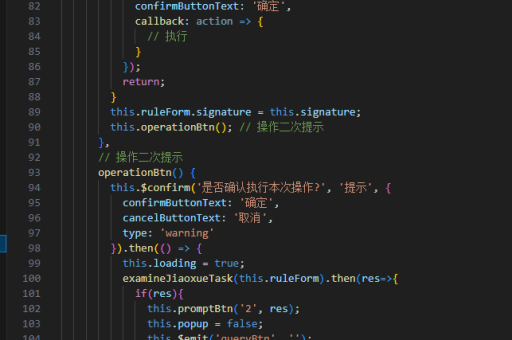
  submitComment() {
    if (!this.comment.content.trim()) return

    this.comment.timestamp = new Date().toISOString()
    this.comments.unshift({...this.comment})

    // 实际项目中这里调用API
    // axios.post('/api/comments', this.comment)

    this.comment.content = ''
    this.comment.author = ''
  }
}
评论列表展示
<ul class="comment-list">
  <li v-for="(item, index) in comments" :key="index">
    <p>{{ item.content }}</p>
    <span>作者:{{ item.author }}</span>
    <time>{{ formatDate(item.timestamp) }}</time>
  </li>
</ul>
样式优化
添加基础样式增强用户体验:

.comment-list {
  margin-top: 20px;
  list-style: none;
}
.comment-list li {
  padding: 15px;
  border-bottom: 1px solid #eee;
}
textarea {
  width: 100%;
  min-height: 100px;
}
实际项目扩展
-
添加表单验证:
validateForm() { return this.comment.content.length > 5 && this.comment.author.length > 2 } -
集成后端API:
async submitToServer() { try { const res = await axios.post('/comments', this.comment) this.comments.unshift(res.data) } catch (error) { console.error('提交失败', error) } } -
添加加载状态:
data() { return { isLoading: false } } -
实现分页加载:
loadMoreComments() {
axios.get(`/comments?page=${this.page}`)
 .then(res => {
   this.comments = [...this.comments, ...res.data]
   this.page++
 })
}
以上实现可根据具体项目需求进行调整,核心逻辑包括数据绑定、表单提交和列表展示三个主要部分。实际项目中还需要考虑用户认证、敏感词过滤等功能扩展。