react如何全局引入组件
全局引入组件的方法
在React中,可以通过以下几种方式实现全局引入组件,避免在每个文件中重复导入。
使用Context API
通过React的Context API可以将组件注入到应用顶层,子组件无需显式导入即可使用。

// 创建Context
const GlobalComponentsContext = React.createContext();

// 提供全局组件
function AppProvider({ children }) {
  const globalComponents = {
    Button: () => <button>Global Button</button>,
    Alert: () => <div>Global Alert</div>
  };

  return (
    <GlobalComponentsContext.Provider value={globalComponents}>
      {children}
    </GlobalComponentsContext.Provider>
  );
}

// 子组件中使用
function ChildComponent() {
  const { Button } = useContext(GlobalComponentsContext);
  return <Button />;
}
使用自定义Hooks
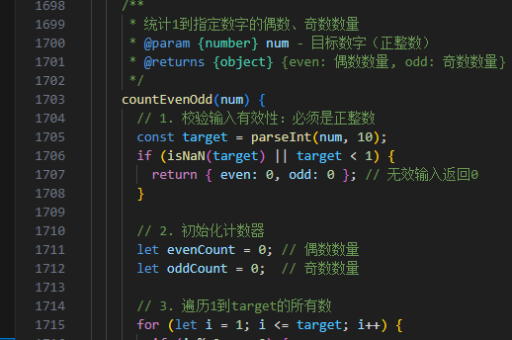
创建一个自定义Hook来返回全局组件,其他组件通过该Hook访问。
// 定义全局组件Hook
function useGlobalComponents() {
  const Button = () => <button>Global Button</button>;
  const Alert = () => <div>Global Alert</div>;

  return { Button, Alert };
}

// 组件中使用
function MyComponent() {
  const { Button } = useGlobalComponents();
  return <Button />;
}
使用高阶组件(HOC)
通过高阶组件将全局组件注入到目标组件中。
// 定义高阶组件
function withGlobalComponents(WrappedComponent) {
  return function(props) {
    const globalComponents = {
      Button: () => <button>Global Button</button>
    };

    return <WrappedComponent {...props} {...globalComponents} />;
  };
}

// 使用高阶组件
const EnhancedComponent = withGlobalComponents(MyComponent);
使用全局变量(不推荐)
直接将组件挂载到全局对象上,但这种方法可能引起命名冲突。
// 初始化时
window.GlobalComponents = {
  Button: () => <button>Global Button</button>
};

// 任意组件中使用
function MyComponent() {
  return <window.GlobalComponents.Button />;
}
注意事项
- Context API方案适合需要跨多层组件传递的场景
- 自定义Hooks方案更符合React Hooks的设计理念
- 高阶组件适合需要增强组件功能的场景
- 全局变量方案应谨慎使用,可能导致维护困难