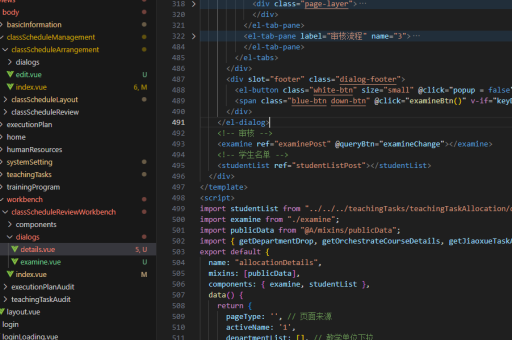
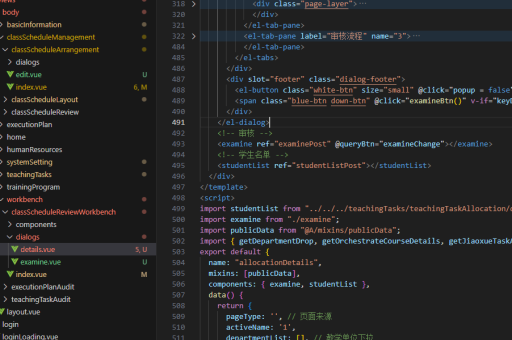
用VUE3实现
以下是使用 Vue 3 实现常见功能的代码示例和说明,采用 Composition API 风格:
基础组件结构
<template>
  <div>
    <h1>{{ title }}</h1>
    <button @click="increment">Count: {{ count }}</button>
  </div>
</template>

<script setup>
import { ref } from 'vue'

const title = ref('Vue 3 Demo')
const count = ref(0)

const increment = () => {
  count.value++
}
</script>
响应式数据管理
import { reactive, computed } from 'vue'

const state = reactive({
  items: [],
  filter: ''
})

const filteredItems = computed(() => {
  return state.items.filter(item =>
    item.name.includes(state.filter)
  )
})
生命周期钩子
import { onMounted, onUnmounted } from 'vue'

onMounted(() => {
  console.log('组件已挂载')
  window.addEventListener('resize', handleResize)
})

onUnmounted(() => {
  window.removeEventListener('resize', handleResize)
})
组件通信
父组件:
<template>
  <ChildComponent
    :message="parentMessage"
    @update="handleUpdate"
  />
</template>

<script setup>
import ChildComponent from './ChildComponent.vue'

const parentMessage = ref('Hello from parent')

const handleUpdate = (newValue) => {
  console.log('Received:', newValue)
}
</script>
子组件:
<template>
  <div>
    <p>{{ message }}</p>
    <button @click="emitUpdate">Send</button>
  </div>
</template>

<script setup>
const props = defineProps({
  message: String
})

const emit = defineEmits(['update'])

const emitUpdate = () => {
  emit('update', 'New value from child')
}
</script>
状态管理(Pinia)
安装Pinia:
npm install pinia创建store:
// stores/counter.js
import { defineStore } from 'pinia'

export const useCounterStore = defineStore('counter', {
  state: () => ({ count: 0 }),
  actions: {
    increment() {
      this.count++
    }
  }
})
组件中使用:
import { useCounterStore } from '@/stores/counter'

const counter = useCounterStore()

// 读取状态
console.log(counter.count)

// 调用action
counter.increment()
路由管理
安装Vue Router:
npm install vue-router@4路由配置:

import { createRouter, createWebHistory } from 'vue-router'

const router = createRouter({
  history: createWebHistory(),
  routes: [
    { path: '/', component: Home },
    { path: '/about', component: About }
  ]
})
组件中使用:
import { useRoute, useRouter } from 'vue-router'

const route = useRoute()
const router = useRouter()

// 获取当前路由参数
console.log(route.params)

// 导航跳转
router.push('/about')
异步请求
使用axios示例:
import { ref } from 'vue'
import axios from 'axios'

const data = ref(null)
const loading = ref(false)
const error = ref(null)

const fetchData = async () => {
  loading.value = true
  try {
    const response = await axios.get('https://api.example.com/data')
    data.value = response.data
  } catch (err) {
    error.value = err
  } finally {
    loading.value = false
  }
}

// 调用
fetchData()
组合式函数封装
封装鼠标位置跟踪:
// composables/useMouse.js
import { ref, onMounted, onUnmounted } from 'vue'

export function useMouse() {
  const x = ref(0)
  const y = ref(0)

  const update = (e) => {
    x.value = e.pageX
    y.value = e.pageY
  }

  onMounted(() => window.addEventListener('mousemove', update))
  onUnmounted(() => window.removeEventListener('mousemove', update))

  return { x, y }
}
组件中使用:
import { useMouse } from '@/composables/useMouse'

const { x, y } = useMouse()
这些示例涵盖了Vue 3的核心功能,包括响应式系统、组件通信、状态管理、路由和实用工具封装。根据具体需求可进一步扩展和组合这些模式。