vue实现编辑提示功能
实现编辑提示功能的步骤
使用v-model绑定数据
在Vue中,可以通过v-model指令实现双向数据绑定。在编辑模式下,将输入框与数据绑定,非编辑模式下显示文本内容。
<template>
  <div>
    <input v-if="isEditing" v-model="content" @blur="saveEdit" />
    <span v-else @click="startEdit">{{ content }}</span>
  </div>
</template>

<script>
export default {
  data() {
    return {
      content: '初始内容',
      isEditing: false
    }
  },
  methods: {
    startEdit() {
      this.isEditing = true
    },
    saveEdit() {
      this.isEditing = false
    }
  }
}
</script>
添加提示效果
可以通过CSS或Vue的过渡效果为编辑操作添加提示。例如,在点击保存时显示一个短暂的提示消息。

<template>
  <div>
    <input v-if="isEditing" v-model="content" @blur="saveEdit" />
    <span v-else @click="startEdit">{{ content }}</span>
    <div v-if="showHint" class="hint">已保存</div>
  </div>
</template>

<script>
export default {
  data() {
    return {
      content: '初始内容',
      isEditing: false,
      showHint: false
    }
  },
  methods: {
    startEdit() {
      this.isEditing = true
    },
    saveEdit() {
      this.isEditing = false
      this.showHint = true
      setTimeout(() => {
        this.showHint = false
      }, 2000)
    }
  }
}
</script>

<style>
.hint {
  color: green;
  font-size: 12px;
}
</style>
使用第三方库增强提示
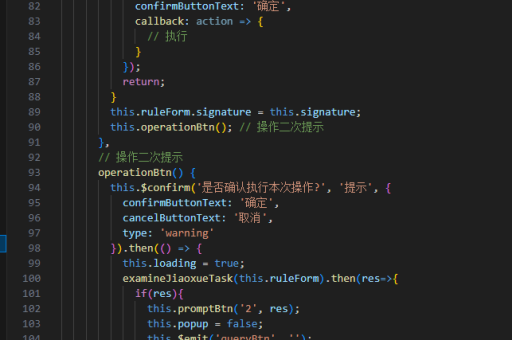
可以集成如Element UI或Vuetify等UI库,使用其内置的提示组件。
<template>
  <div>
    <el-input v-if="isEditing" v-model="content" @blur="saveEdit" />
    <span v-else @click="startEdit">{{ content }}</span>
  </div>
</template>

<script>
export default {
  data() {
    return {
      content: '初始内容',
      isEditing: false
    }
  },
  methods: {
    startEdit() {
      this.isEditing = true
    },
    saveEdit() {
      this.isEditing = false
      this.$message({
        message: '内容已保存',
        type: 'success'
      })
    }
  }
}
</script>
添加校验功能
在保存编辑内容前,可以添加校验逻辑,确保输入内容的有效性。
<template>
  <div>
    <input v-if="isEditing" v-model="content" @blur="saveEdit" />
    <span v-else @click="startEdit">{{ content }}</span>
    <div v-if="error" class="error">{{ error }}</div>
  </div>
</template>

<script>
export default {
  data() {
    return {
      content: '初始内容',
      isEditing: false,
      error: ''
    }
  },
  methods: {
    startEdit() {
      this.isEditing = true
      this.error = ''
    },
    saveEdit() {
      if (this.content.trim() === '') {
        this.error = '内容不能为空'
        return
      }
      this.isEditing = false
    }
  }
}
</script>

<style>
.error {
  color: red;
  font-size: 12px;
}
</style>
使用自定义指令实现自动聚焦
在编辑模式下,自动聚焦到输入框可以提升用户体验。
<template>
  <div>
    <input v-if="isEditing" v-model="content" @blur="saveEdit" v-focus />
    <span v-else @click="startEdit">{{ content }}</span>
  </div>
</template>

<script>
export default {
  directives: {
    focus: {
      inserted(el) {
        el.focus()
      }
    }
  },
  data() {
    return {
      content: '初始内容',
      isEditing: false
    }
  },
  methods: {
    startEdit() {
      this.isEditing = true
    },
    saveEdit() {
      this.isEditing = false
    }
  }
}
</script>
以上方法可以根据实际需求组合使用,实现灵活且用户友好的编辑提示功能。